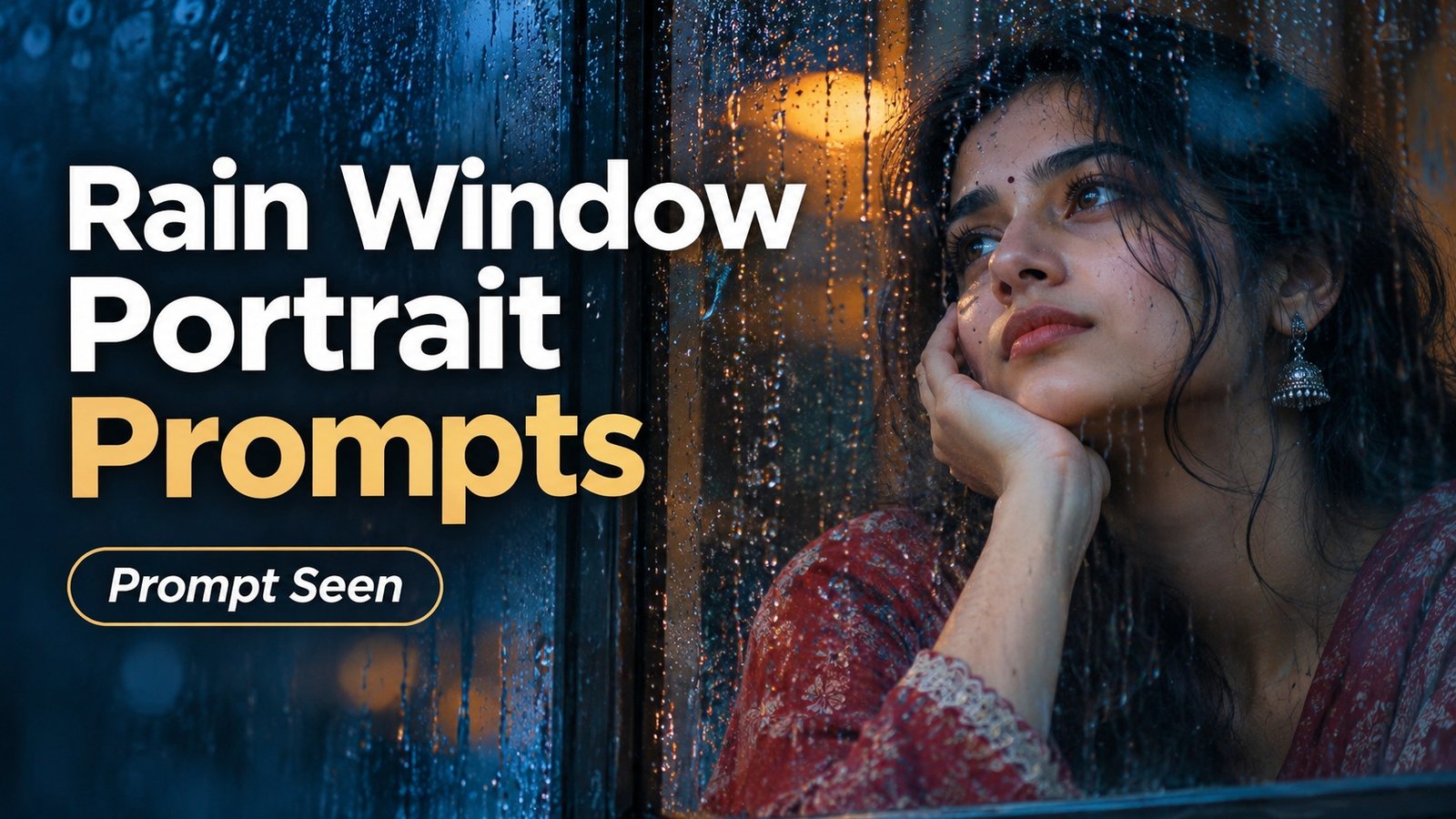
Rain on a window is one of the easiest ways to give a portrait a film feel. Raindrops add texture, the glass softens the background, and cool light makes warm skin stand out.
The three prompts below, written for Prompt Seen, describe the glass, the light outside and the mood, so the model has fewer things to guess.
At a glance
- Look: Moody, cool tones, soft reflections
- Works in: Gemini, ChatGPT or any tool that accepts a photo
- Best ratio: 4:5 or 9:16
- Mood: Quiet, thoughtful
The prompts
Prompt 1: Coffee shop window
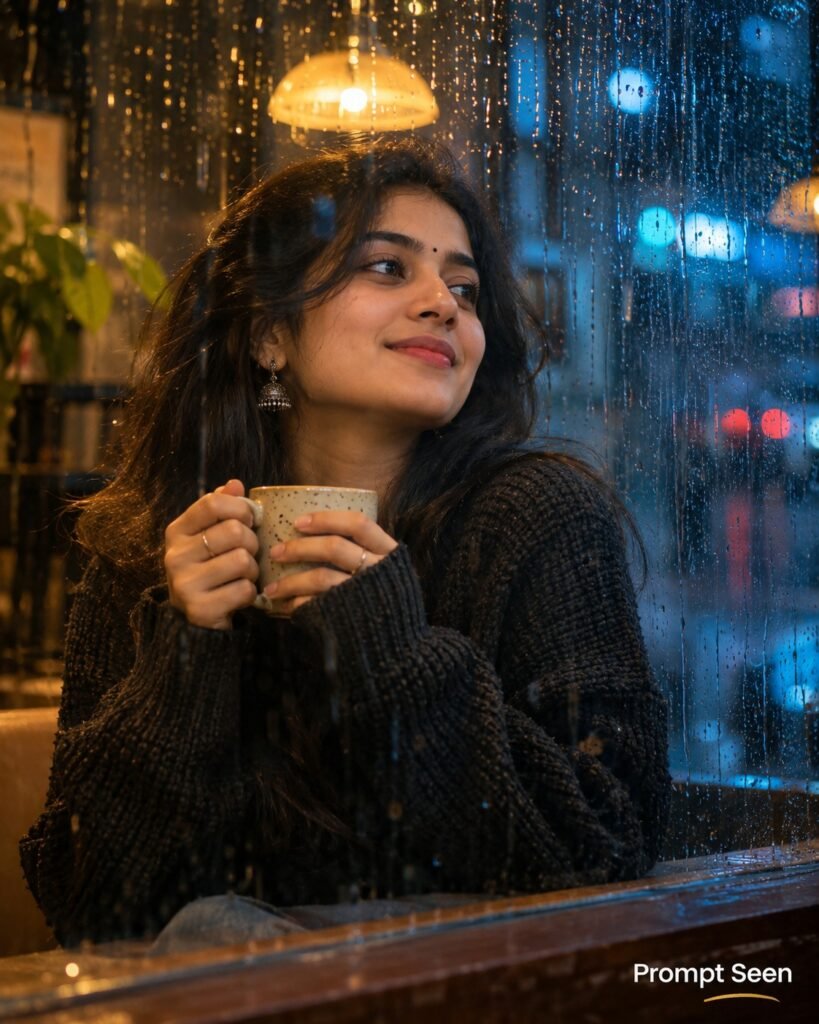
Create a cinematic portrait of the person in the uploaded photo sitting by a coffee shop window on a rainy evening. Raindrops run down the glass in front of the camera, slightly out of focus. Warm lamp light inside, cool blue street light outside reflected in the glass. They wear a dark knit sweater and hold a ceramic cup. Keep the face exactly as in the uploaded photo. Shallow depth of field, soft film grain. 4:5 ratio.Why it works: Warm light inside and cool light outside is a classic colour pairing. The raindrops are placed on the glass in front, so they add texture without covering the face.
Prompt 2: Bus window at night
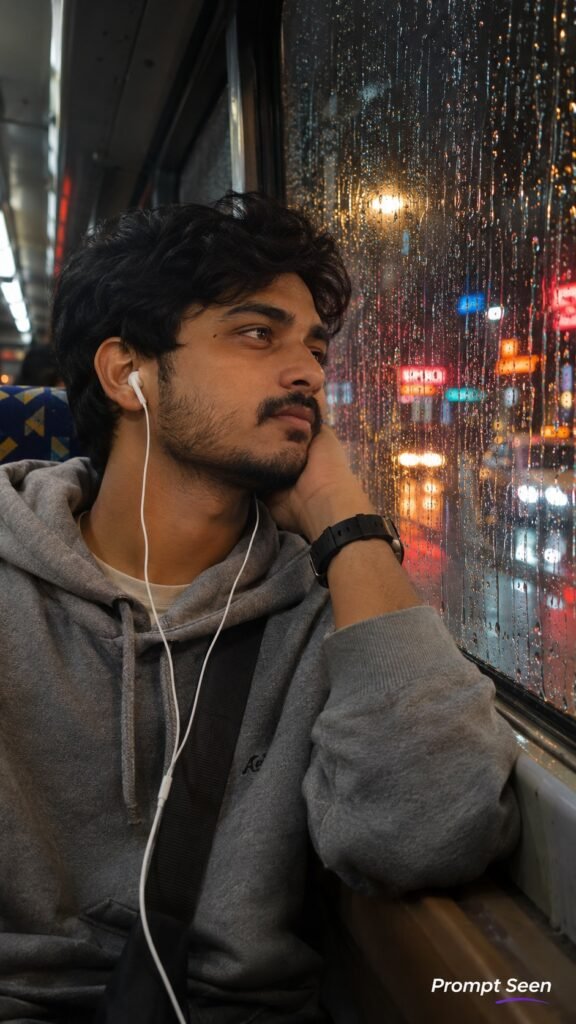
Create a realistic night portrait of the person in the uploaded photo looking out of a bus window in the rain. Streaks of colourful city lights blur behind the wet glass. Their face is lit softly by the glow from the street. They wear a grey hoodie and earphones. Calm, thoughtful expression. Keep the face exactly as in the uploaded photo. 9:16 ratio.Why it works: City lights turned into blurred streaks give colour without distracting detail. The soft glow on the face prevents harsh shadows.
Prompt 3: Balcony doorway after rain
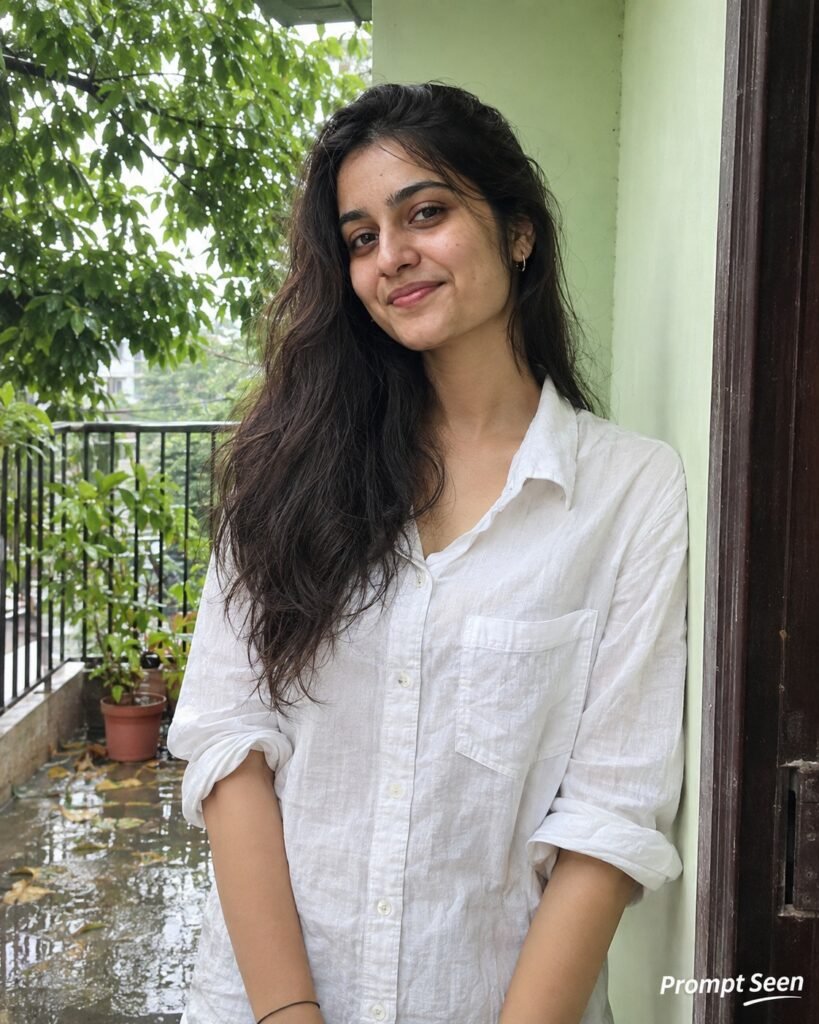
Create a realistic portrait of the person in the uploaded photo standing in a balcony doorway just after rain. Wet leaves and puddles outside, soft grey daylight on their face, a pale green wall behind them. They wear a white cotton shirt with the sleeves rolled up. Keep the face exactly as in the uploaded photo. 4:5 ratio.Why it works: After rain, the light is soft and even. Grey daylight is easier to get right than night scenes.
Why this look works
Rain changes how a photograph feels. The light becomes soft and grey, colours look deeper, and every wet surface reflects the lights around it. That is why rainy scenes are so popular in films and music videos, and why people ask AI tools for them.
A rain window portrait is easier to control than a street scene in heavy rain, because the glass keeps the weather outside and the person dry and clearly visible. The prompts on this Prompt Seen page build on that idea: the rain is a layer between the camera and the person, and the person is lit by a different, warmer light from inside.
The result is a picture with two colour zones, cool blue outside and warm amber inside. That contrast is what gives the pictures their cinematic feel.
Variations to try
Once one prompt works for you, change a single thing at a time. These Prompt Seen variations are the easiest places to start:
- Change the time of day: Try a rainy morning with pale grey light instead of an evening scene. Remove the lamp light and describe soft window light on the face.
- Change the drink: A cup of tea, a glass of water or no drink at all changes the mood without changing the setup.
- Use a different window: A train window, a car window or a shop window each give different reflections. Name the place clearly.
- Add colour to the lights: Name the colour of the lights outside, for example amber, teal or pink, to control the mood.
How to use these prompts
- Choose the prompt that suits your photo. Use night prompts with darker photos and the balcony prompt with daylight photos.
- Upload the photo and the prompt together.
- If the raindrops cover the face, add “drops only on the glass edges”.
- Download the best result and crop for your platform.
Tips for a better result
- Name the colour of the lights outside, for example amber or teal, to control the mood.
- Ask for “slightly out of focus raindrops” so they stay in the background.
- Keep one light colour for the face and a different one for the background.
What goes wrong
Raindrops cover the whole face. The prompt put the drops in front of the person. Fix: Say the drops are on the glass in the foreground edge only.
The picture is too dark. Night scenes lose detail. Fix: Add “soft warm light on the face”.
Looks cartoonish. Too many effects were asked at once. Fix: Remove extra effects like glow or neon.
More mistakes to avoid
Raindrops sit on the face. The prompt did not say the drops are on the glass in front of the camera. Fix: Say the raindrops are on the window glass, slightly out of focus.
The person looks lit from the wrong side. Light direction was not described. Fix: State that warm light comes from inside and cool light from outside.
Everything looks blurry. Too much depth of field was requested. Fix: Ask for the face sharp and only the background blurred.
Quick checklist before you generate
- I chose a photo with a clear face
- The rain is on the glass, not on the person
- I named a warm light and a cool light
- I limited effects to rain and light
- I checked the eyes and the hands
Before you post
Use only your own photos, or photos of people who agreed. Say in the caption that the picture is AI-made.
Frequently asked questions
Do these work for couples?
They are written for one person. For two people, upload both photos and name who is who.
Which ratio is best?
Use 4:5 for feed posts and 9:16 for stories.
Can I use these for a profile picture?
Yes, but crop tightly on the face first.
Why add film grain?
It makes the picture look less smooth and more like a photograph.
Do these prompts need a rainy photo as input?
No. Any clear photo of your face works, because the prompt builds the rainy scene.
Which colour mood looks best?
Warm amber against cool blue is the most common and easy to control.
Can I make a video from the result?
Yes. You can use the picture in an image-to-video tool. See the motion prompts on Prompt Seen.
Is it safe to share these?
Yes, if the photo is yours or the person agreed. Say the picture is AI-made.
More guides on Prompt Seen
If you enjoyed this guide, these Prompt Seen posts cover related looks:
Final word
The rain window look is about contrast between warm and cool light. Change the colours and the weather to make your own version.
PromptSeen is run by Rutik Soni. Each post is written around its own example images. Prompts give different results every time, so your picture may not match ours. Read how we work in the Editorial Policy, or write to support@promptseen.co if something is wrong.
1 thought on “Prompt Seen: Cinematic Rain Window Portrait Prompts”