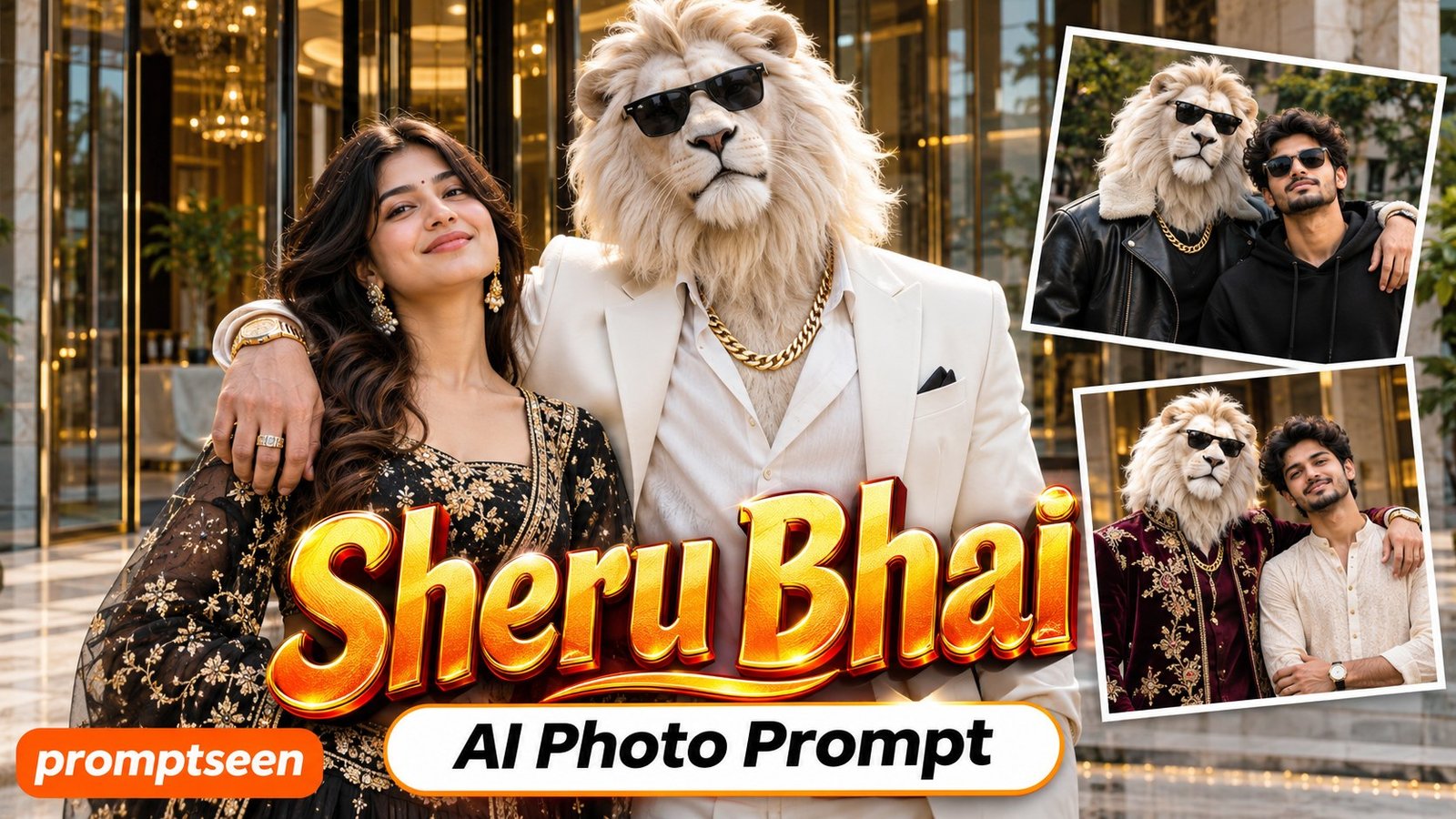
Sheru Bhai is a playful character, a lion in a suit and sunglasses, who has been shared widely as an AI photo trend. You stand beside him in a photo that looks like a day out with a rich friend.
These four prompts all do the same job, with different outfits, poses and places. Each one is shown with the picture it produced, so you can compare the results before you try it yourself. Two prompts are written for a woman and two for a man, so choose the one that fits you.
1. Beside a lion in a white suit at a hotel entrance (girls)
A woman in a black embroidered outfit stands next to the lion-headed figure, who wears a white suit, gold chain and black sunglasses, with a glass hotel entrance behind them. The lion’s paw rests on her shoulder.
The prompt asks for a black dress and heels. If you wear something else, change those words.
Prompt for: Girls
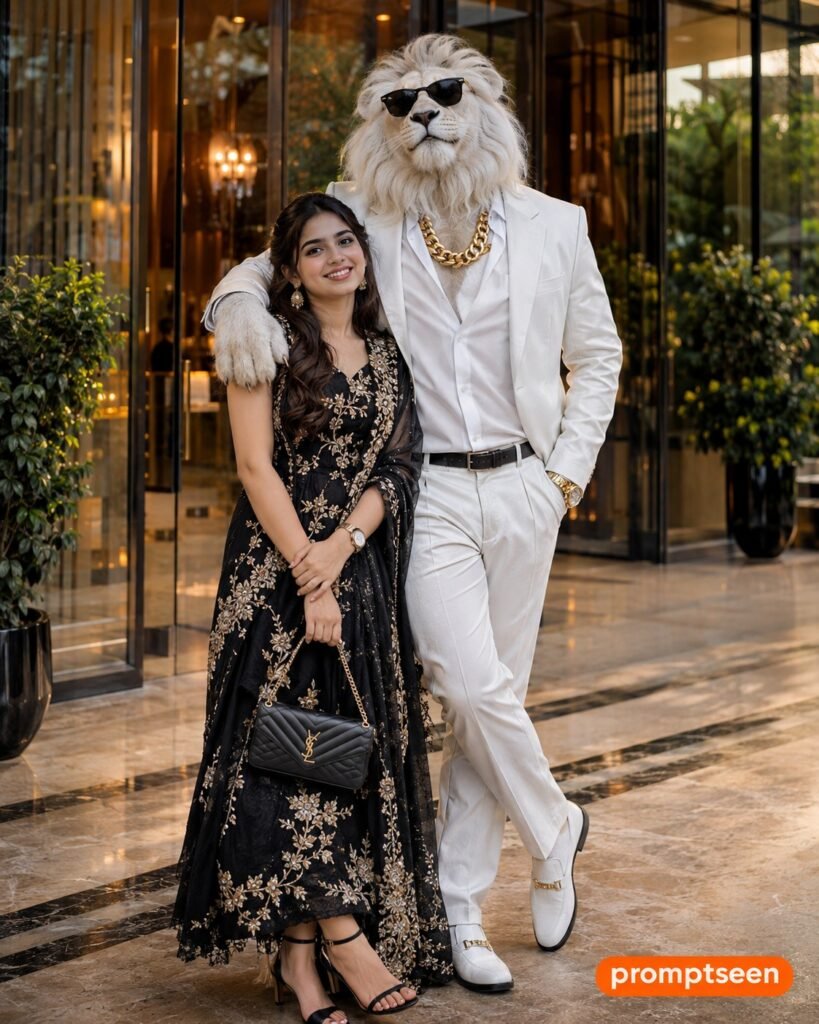
Create an ultra-realistic cinematic DSLR photograph of me standing beside a majestic white lion-headed humanoid character.

MY LOOK: Preserve my original face, facial features, hairstyle, skin tone and identity 100%. I am wearing an elegant premium black dress, stylish heels, delicate golden jewellery, a beautiful handbag and a luxury wristwatch. Give me a natural, charming smile with elegant styling.

WHITE LION: A tall, majestic humanoid white lion with extremely realistic white furry face, a royal personality, stylish black sunglasses, premium white formal suit, white shirt, heavy golden chain, golden wristwatch and luxury golden accessories.

POSE: The lion stands beside me with one arm naturally placed around my shoulder like my best friend. I stand confidently beside the lion, smiling naturally at the camera.

LOCATION: Luxury modern hotel entrance with beautiful glass architecture, decorative greenery and warm cinematic lighting.

PHOTOGRAPHY: Professional DSLR photography, realistic skin texture, detailed white lion fur, cinematic depth of field, natural shadows, sharp facial details, premium color grading, ultra-HD 8K quality.

STRICT IDENTITY LOCK: Use my uploaded reference photo and preserve my original identity 100%. Do not modify, replace or reshape my facial features.

Aspect ratio: 4:5.
2. Arm around the shoulder on palace steps (boys)
A young man with curly hair in a brown shirt stands with his arm around the lion figure, who wears a white suit and a yellow pocket square. Marble columns and steps make it look like a formal entrance.
The prompt asks you to keep your own checked shirt. Upload a photo in that shirt, or remove that line if you do not wear one.
Prompt for: Boys
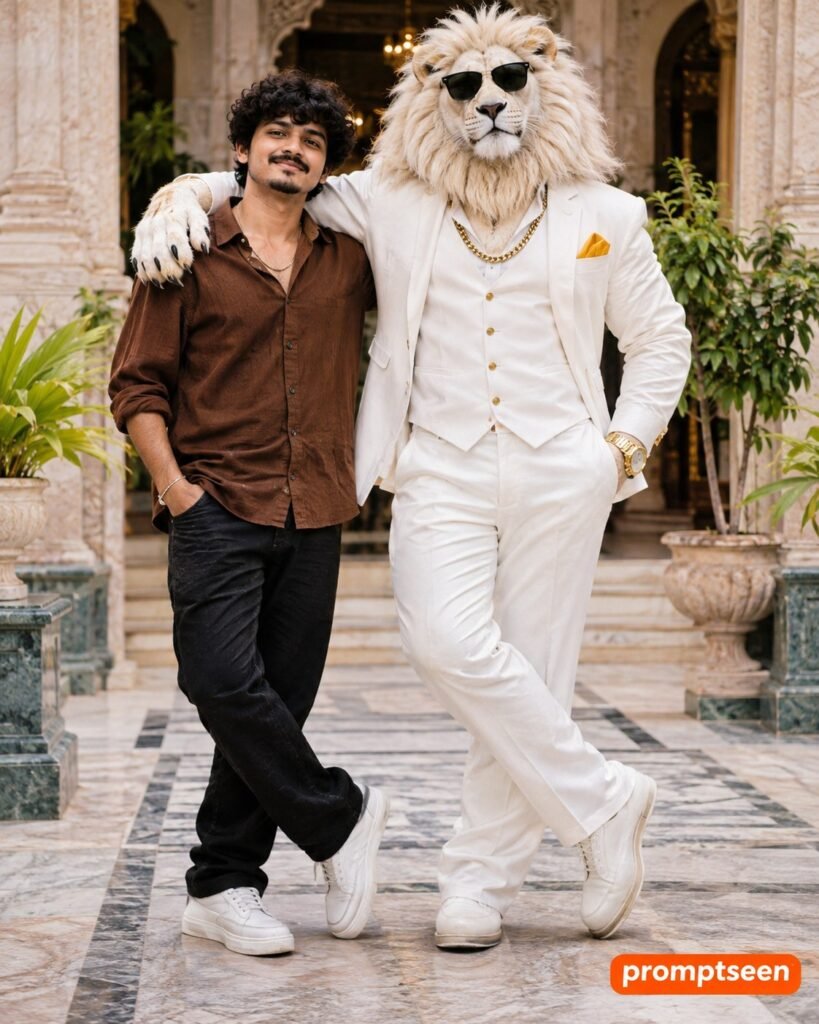
Create an ultra-realistic cinematic 8K DSLR full-body portrait using my uploaded photo as the STRICT FACE AND OUTFIT REFERENCE. Preserve my exact original facial identity, face shape, skin tone, curly black hairstyle, eyes, eyebrows, nose, lips, teeth, moustache, beard, natural smile and body proportions with 100% accuracy. Keep my original black, white and grey checked shirt EXACTLY the same, including its pattern, colours, collar, buttons, sleeves and fit. Do not change my clothing or accessories. Show me standing confidently beside a majestic, giant, ultra-realistic white lion with a thick cream-white mane. The lion stands on my left side with one front paw naturally resting on my shoulder. The lion wears a premium white royal formal suit, heavy golden chain, golden wristwatch, golden pocket square and stylish black sunglasses. Both face the camera with confident expressions. Place us at a luxurious royal palace entrance featuring elegant cream marble pillars, beautiful architecture and soft green plants. Professional cinematic photography, 85mm DSLR lens, f/1.8, natural lighting, realistic shadows, sharp facial details, detailed fur texture, realistic anatomy, premium Instagram photography, cinematic colour grading and beautiful depth of field. ABSOLUTE PRIORITY: My original face and checked shirt must remain unchanged. Only add the white lion and replace the background. Do not generate a different face, hairstyle or outfit. No text, no logos, no watermark. Vertical 4:5 composition, ultra-realistic 8K quality.3. Black shirt beside the lion in front of glass (boys)
A young man in a black shirt and cream trousers stands with the lion, who wears a cream suit, a gold lion pendant on a chain and a gold belt. The glass building and plants behind them give it a modern look.
Check that your own outfit matches what you upload, because both outfits are very clear in the picture.
Prompt for: Boys
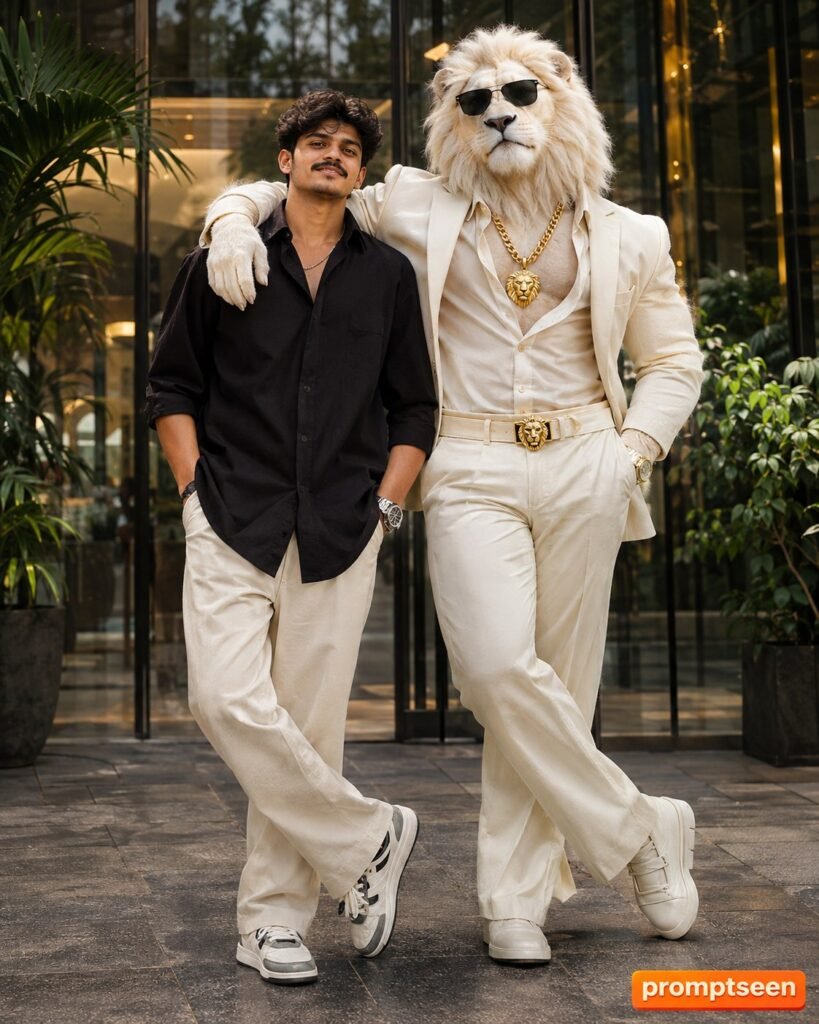
Create an ultra-realistic cinematic DSLR photograph of me standing beside a majestic white lion-headed humanoid character.

**MY LOOK:** Preserve my original face, facial features, hairstyle, skin tone and identity 100%. I am wearing a premium black oversized shirt, beige trousers, stylish sneakers and a luxury wristwatch. Give me a natural, confident smile.

**WHITE LION:** A tall, muscular humanoid white lion with extremely realistic white fur, a royal personality, stylish black sunglasses, premium white formal suit, white shirt, heavy golden chain, golden wristwatch and luxury golden accessories.

**POSE:** The lion stands beside me with one arm naturally placed around my shoulder like my best friend. Both of us are looking directly at the camera with confident expressions.

**LOCATION:** Luxury modern hotel entrance with beautiful glass architecture, greenery and warm cinematic lighting.

**PHOTOGRAPHY:** Professional DSLR photography, realistic skin texture, detailed lion fur, cinematic depth of field, natural shadows, sharp focus, premium color grading, ultra-HD 8K quality.

STRICT IDENTITY LOCK: Use my uploaded reference photo and preserve my original identity without changing or replacing my face.

Aspect ratio: 4:5.
4. Pink kurta and the lion in a cream suit (girls)
A woman in a pink embroidered kurta stands with her arms folded while the lion leans on a golden column in a cream three-piece suit. Two paws are visible at the bottom of the picture.
This is the most formal of the four and works well for a wedding or festival post.
Prompt for: Girls
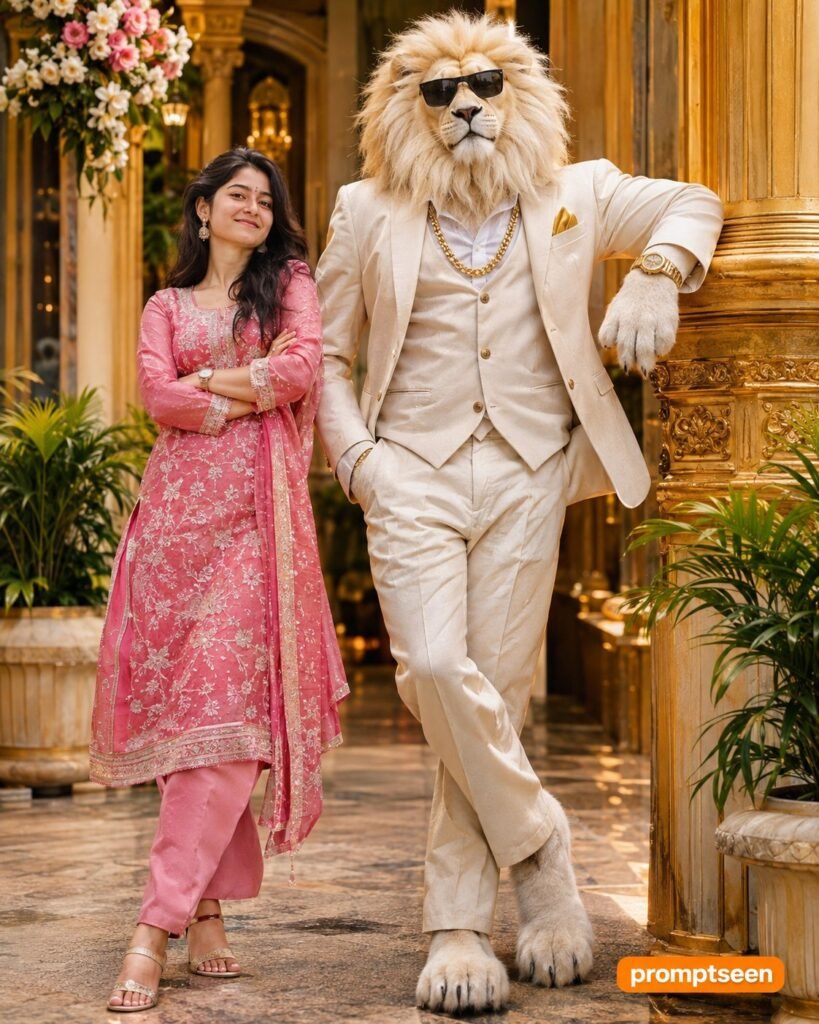
Create an ultra-realistic cinematic 8K DSLR full-body portrait of me standing beside a majestic, giant, ultra-realistic white lion with a thick, luxurious cream-white mane. Use my uploaded photo as the STRICT FACE, IDENTITY AND OUTFIT REFERENCE. Preserve my exact original female facial identity, face shape, skin tone, hairstyle, hair colour, eyes, eyebrows, nose, lips, teeth, natural smile and body proportions with 100% accuracy. Keep my original outfit EXACTLY the same as in the uploaded photo, including its colours, pattern, design, fabric, neckline, sleeves, fitting and accessories. Do not change, replace or redesign my face, hairstyle, body or clothing. The majestic white lion stands on my left side with one front paw naturally resting gently on my shoulder. The lion wears a premium white royal formal suit, heavy golden chain, luxurious golden wristwatch, golden pocket square and stylish black sunglasses. Both of us face the camera with confident, natural expressions. Place us at a luxurious royal palace entrance featuring elegant cream marble pillars, beautiful royal architecture and soft green plants. Professional cinematic photography, 85mm DSLR lens, f/1.8 aperture, natural lighting, realistic shadows, extremely sharp facial details, detailed realistic white fur, anatomically accurate bodies, premium Instagram photography, cinematic colour grading and beautiful depth of field. ABSOLUTE PRIORITY: My original face, hairstyle, skin tone and outfit must remain 100% unchanged. Only add the white lion and replace the background. No text, no logos, no watermark. Vertical 4:5 composition, ultra-realistic 8K quality.How to use these prompts
Use the same few steps for each prompt below.
- Open ChatGPT or Gemini. Use a version that can create images from an uploaded photo.
- Upload your photo. A clear, front-facing picture with your face fully visible.
- Paste the prompt. Keep the line that tells the model to use your face and outfit.
- Change the clothes and place. Replace the outfit, building and time of day with yours.
- Ask for one fix at a time. For example “make the sunglasses smaller” or “fix the hand on my shoulder”.
Tips for a better result
Character pictures work best when the real person is clear and the character is simple.
- Use a clear face photo. Good light and a straight pose help the model keep your features.
- Name the outfit. Say exactly what you wear, so the model does not invent a different one.
- Keep the lion simple. One suit, one chain and one pair of sunglasses is enough.
- Check the paws and hands. Large paws on shoulders are hard to draw. Regenerate if they look wrong.
What goes wrong
The most common problems with prompts like these.
Your face changes
The reference was small or dark.
Fix: use a larger, sharper photo and repeat the identity line.
The outfit changes
The prompt describes a different outfit.
Fix: name your real outfit in the prompt.
The lion looks odd
Mixed animal and human features are hard.
Fix: ask for a more natural head and regenerate.
The background looks fake
The place was described in too much detail.
Fix: choose one simple place.
Before you post
Only put other people in your picture if they agree. Say in the caption that the picture is AI-made. Sheru Bhai is a character, so do not present the photo as a real visit with a famous person.
Frequently asked questions about sheru bhai ai photo editing prompt
Who is Sheru Bhai?
He is a fictional lion character used in an AI photo trend. He is not a real person.
Do I need a second photo?
No. The lion is made by the prompt. Only upload a second photo if you want a friend in the picture.
Which prompt is easiest?
The first one, because it has one person and one lion.
Can I use a different animal?
Yes. Change the animal name and the description in the prompt.
Should I label the picture as AI?
Yes. Add it to the caption. Readers appreciate it and some platforms expect it.
PromptSeen is run by Rutik Soni. Each post is written around its own example images. Prompts give different results every time, so your picture may not match ours. Read how we work in the Editorial Policy, or write to support@promptseen.co if something is wrong.
1 thought on “Prompt Seen: Sheru Bhai AI Photo Editing Prompt”