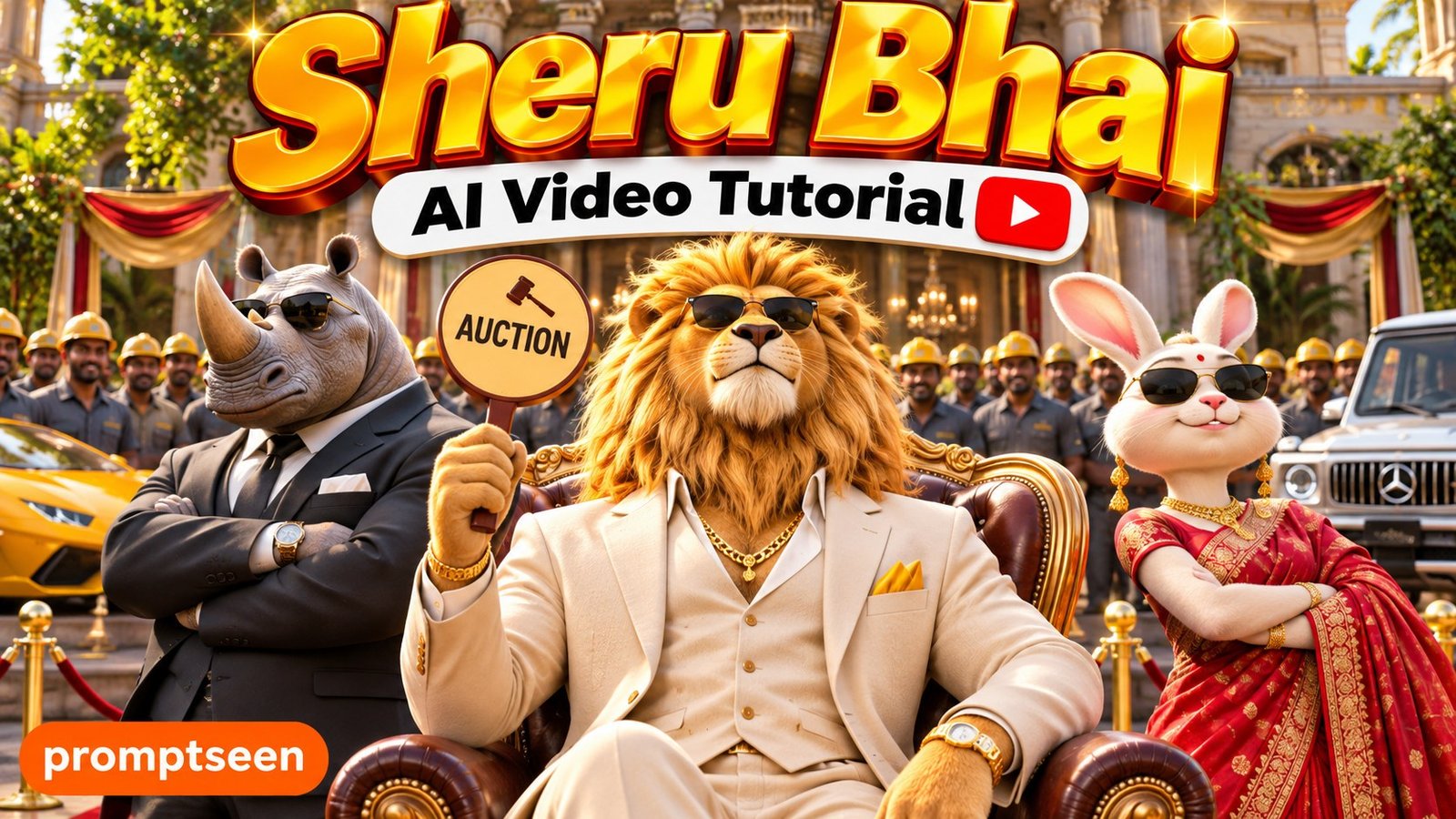
Sheru Bhai is a fictional lion businessman who appears in funny AI auction videos on Instagram. He wears a white suit, bids against a rival character, and always wins. The trend is popular because the dialogue is short and the scenes look expensive.
This tutorial shows the steps to make your own version: one master prompt for ChatGPT, two clip prompts for Google Flow, and the join in a video editor. Nothing here needs animation skills.
What the picture shows
The picture shows the trend’s style: a golden-maned lion in a cream suit stands between a rhino in a black suit with sunglasses and a rabbit in a red saree, with a crowd of workers and luxury cars behind. It is a still from an AI video, not a finished reel, so use it as a guide to the look.
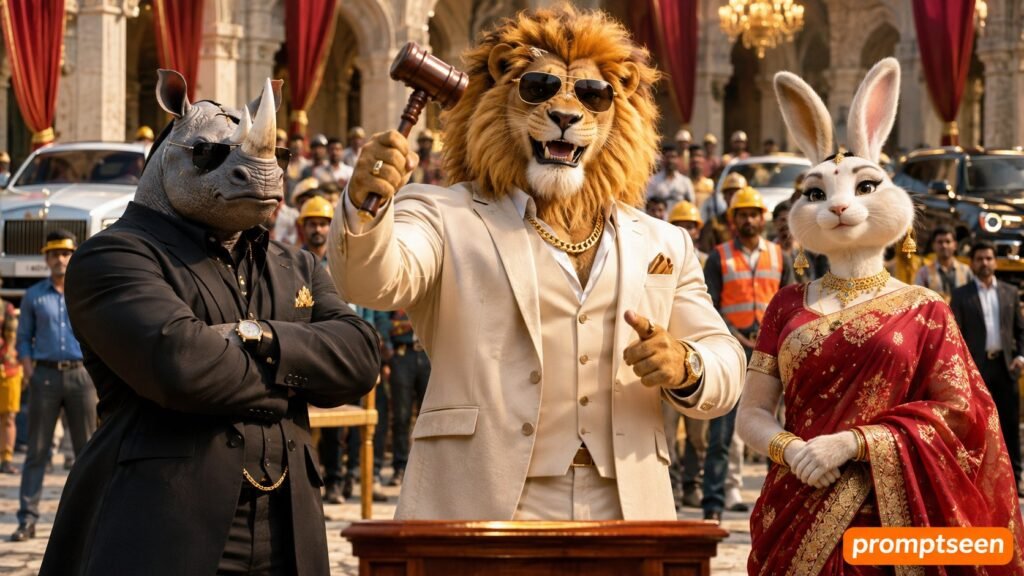
Step 1: Get the master prompt from ChatGPT
The master prompt below sets the rules for the whole series: the character, the rival, the layout, the dialogue and the 20-second format. Paste it into ChatGPT. It will first list 15 scenarios, and you pick one number. ChatGPT then writes the full dialogue and two clip prompts for that scenario.
MASTER PROMPT – SHERU FUNNY LUXURY AUCTION (15 SCENARIOS)

1. FIXED SHERU CHARACTER

Use the same character in every video:

Realistic cinematic 3D anthropomorphic golden lion with a human-like body.

Thick golden-orange mane, golden fur, amber eyes and expressive face.

Always wears a white three-piece suit, light grey waistcoat, gold pocket square and gold wristwatch.

Personality: confident, cheerful, funny and full of attitude.

Voice: deep, energetic and expressive male Hindi voice.

STRICT CONSISTENCY: Never change Sheru's face, mane, fur, eyes, body, outfit or voice.

2. RIVAL CHARACTER

Exactly ONE rival bidder in every video.

Choose different friendly cartoon-style or animal characters.

Examples: Doraemon, Motu, cheetah, black panther, bear, wolf, etc.

Each rival wears a unique luxury outfit.

Maintain identical appearance in both video parts.

Rival loses the auction in a harmless and humorous way.

3. AUCTION ITEMS AND LOCATIONS

Choose different luxury items for every scenario:

Luxury sports cars

Golden supercars

Private jets

Luxury yachts

Designer watches

Beautiful mansions

Private islands

Golden bikes

Luxury helicopters

Royal palaces

Match the location with the item, such as a luxury showroom, grand auction hall, palace or private harbor.

Use beautiful backgrounds, golden decorations, chandeliers, marble floors and premium lighting.

4. VIDEO STYLE

Choose ONE layout for every scenario.

LAYOUT A – GOLDEN THRONES

Sheru and the rival sit on luxurious golden thrones facing each other, with the auction item displayed behind them.

LAYOUT B – GRAND AUCTION HALL

Both characters stand and participate in a funny auction inside a luxurious hall. Include a deer auctioneer in a black tuxedo, golden podium and a cheerful audience of animal characters.

Common visual style:

Ultra-realistic cinematic 3D animation.

Detailed fur and premium clothing.

Funny facial expressions and hand gestures.

Dynamic camera angles and close-ups.

Beautiful luxury surroundings.

Cheerful and entertaining atmosphere.

5. VIDEO FORMAT

Total duration: 20 seconds.

Part 1: 0–10 seconds.

Part 2: 10–20 seconds.

Vertical 9:16 format.

Generate video prompts only, never image prompts.

Part 1 ends with an exciting bidding moment.

Part 2 continues from the exact ending of Part 1.

Sheru always wins.

6. DIALOGUE RULES

All dialogue must be in Roman Hinglish.

Dialogue should sound natural when spoken in Hindi.

Create funny imaginary money words with rhyming patterns.

Make every new bid bigger than the previous bid.

Sheru's final bid should be extremely imaginative.

Maximum 8–10 words per dialogue line.

Use clean, positive and family-friendly humour.

Avoid offensive, threatening or inappropriate expressions.

Create fresh dialogue for every scenario.

7. DIALOGUE STRUCTURE

PART 1:

Auctioneer introduces the luxury item.

Sheru makes his first bid.

Rival increases the bid.

Sheru announces a bigger funny bid.

PART 2:
5. Rival makes another bid.
6. Sheru announces his biggest imaginary bid.
7. Auctioneer announces SOLD to Sheru.
8. Sheru delivers a funny winning punchline.

8. CAMERA, VOICE AND QUALITY

Dynamic cinematic camera movements.

Close-ups of Sheru and the rival.

Show the luxury item and audience reactions.

Perfect Hindi lip-sync.

Sheru has a deep, confident and funny male Hindi voice.

Rival has a different expressive voice.

Add cheerful background music, applause and auction sounds.

Use smooth animation, realistic fur and premium lighting.

9. NEGATIVE INSTRUCTIONS

Never:

Change character appearance or outfits.

Add duplicate Sheru characters.

Add additional rival bidders.

Change the location or auction item between parts.

Add subtitles, captions, logos or watermarks.

Create distorted faces or unnatural movements.

Use inappropriate dialogue or aggressive behaviour.

Make Sheru lose the auction.

10. WORKFLOW – STRICTLY FOLLOW

STEP 1 – GENERATE 15 SCENARIOS

Whenever this prompt is pasted, generate exactly 15 different funny luxury auction scenarios.

For each scenario provide:

Scenario number.

Auction item and location.

Rival character.

Sheru's biggest funny bid.

Sheru's final winning punchline.

Rules:

All 15 scenarios must be unique.

Use different luxury items and rival characters.

Keep each scenario short and entertaining.

Do not generate video prompts yet.

Wait for the user to select a number from 1 to 15.

STEP 2 – GENERATE COMPLETE VIDEO PACKAGE

When the user selects any number from 1 to 15, generate ONLY that selected scenario.

Provide exactly THREE separate copy-paste blocks:

1. FULL 8-LINE DIALOGUE

Roman Hinglish.

Speaker names included.

Separate Part 1 and Part 2.

2. PART 1 VIDEO PROMPT (0–10 SECONDS)
Include:

Full Sheru and rival descriptions.

Auction item and location.

Selected visual layout.

Second-by-second actions.

Exact dialogue with speaker names and timing.

Camera movements and expressions.

Voice, lip-sync, lighting and sound.

Negative instructions.

End with an exciting auction moment.

3. PART 2 VIDEO PROMPT (10–20 SECONDS)
Include:

Full character descriptions again.

Same item, location and visual layout.

Second-by-second actions.

Exact dialogue with speaker names and timing.

Camera movements and expressions.

Voice, lip-sync, lighting and sound.

Negative instructions.

Continue seamlessly from Part 1.

End with Sheru winning and celebrating.

FINAL RULES

Always generate exactly 15 scenarios in Step 1.

Accept selections from 1 to 15.

Never skip Step 1.

Never generate video prompts before selection.

Generate only the selected scenario.

Keep dialogue clean and advertiser-friendly.

Provide three separate copy-paste blocks.

Both video prompts must be independently usable.

Maintain character and scene consistency.

Sheru always wins.

MASTER PROMPT END
Step 2: Make two clips in Google Flow
Open Google Flow and sign in. Paste the Part 1 prompt, generate the first clip, then paste the Part 2 prompt and generate the second. Part 2 is written to continue from the last moment of Part 1, so generate them in order and keep the same settings for both.
Step 3: Join the clips
Download both clips. In VN or CapCut, make a new vertical project, import Part 1 and then Part 2, trim any dead frames at the start or end, and add background music or applause. Check the lip sync and the dialogue timing before you export at the highest quality your phone handles.
Quick checklist
Use this before you post.
- Same character in both parts. If the lion changes outfit or face between clips, regenerate Part 2.
- Dialogue is short. Eight to ten words per line is easier to lip-sync.
- No logos or captions. The master prompt forbids them, but check the export for stray text.
- Clean humour only. Keep the bids light and family-friendly.
Tips for a better result
Small changes make the video feel new.
- Change the item and the place. A yacht, a palace or a private jet gives a different feel each time.
- Pick a different rival. The prompt suggests animal and cartoon characters. Choose one that fits the joke.
- Keep the bid rising. Each bid should be bigger than the last, which is what makes the ending land.
- Preview before you generate. Read the dialogue out loud to check the timing fits 10 seconds.
What goes wrong
These are the problems people meet most often.
The character changes between clips
The prompts were not pasted together.
Fix: regenerate Part 2 and repeat the character description exactly.
Lips do not match the words
The line is too long.
Fix: shorten the line in the prompt and generate again.
The clip does not start where Part 1 ended
Part 2 was generated first.
Fix: generate Part 1 first and paste its last frame idea into Part 2.
Strange text appears in the video
The model added a caption.
Fix: add a negative instruction for text and regenerate.
Before you post
Say in the caption that the video is AI-made. Sheru Bhai is a fictional character, so do not present the video as a real event or a real auction with real people.
Frequently asked questions about sheru bhai ai video editing tutorial
Do I need to pay for Google Flow?
Plans and limits change, so check what your account includes before you start.
Can I use a different character?
Yes. Change the name and the look in the master prompt, and keep the same description in both parts.
How long is the video?
The master prompt asks for 20 seconds in two 10-second parts.
Can I use Hindi dialogue?
The prompt asks for Roman Hinglish, which is Hindi written in English letters.
Should I label the video as AI?
Yes. Labelling is good practice, and some platforms make it a rule.
More AI video prompts
Keep exploring with these related guides.
Related reading
PromptSeen is run by Rutik Soni. Each post is written around its own example images. Prompts give different results every time, so your picture may not match ours. Read how we work in the Editorial Policy, or write to support@promptseen.co if something is wrong.